
Build a 3D Asset Collection in One Submission with N4D Batch Image to 3D
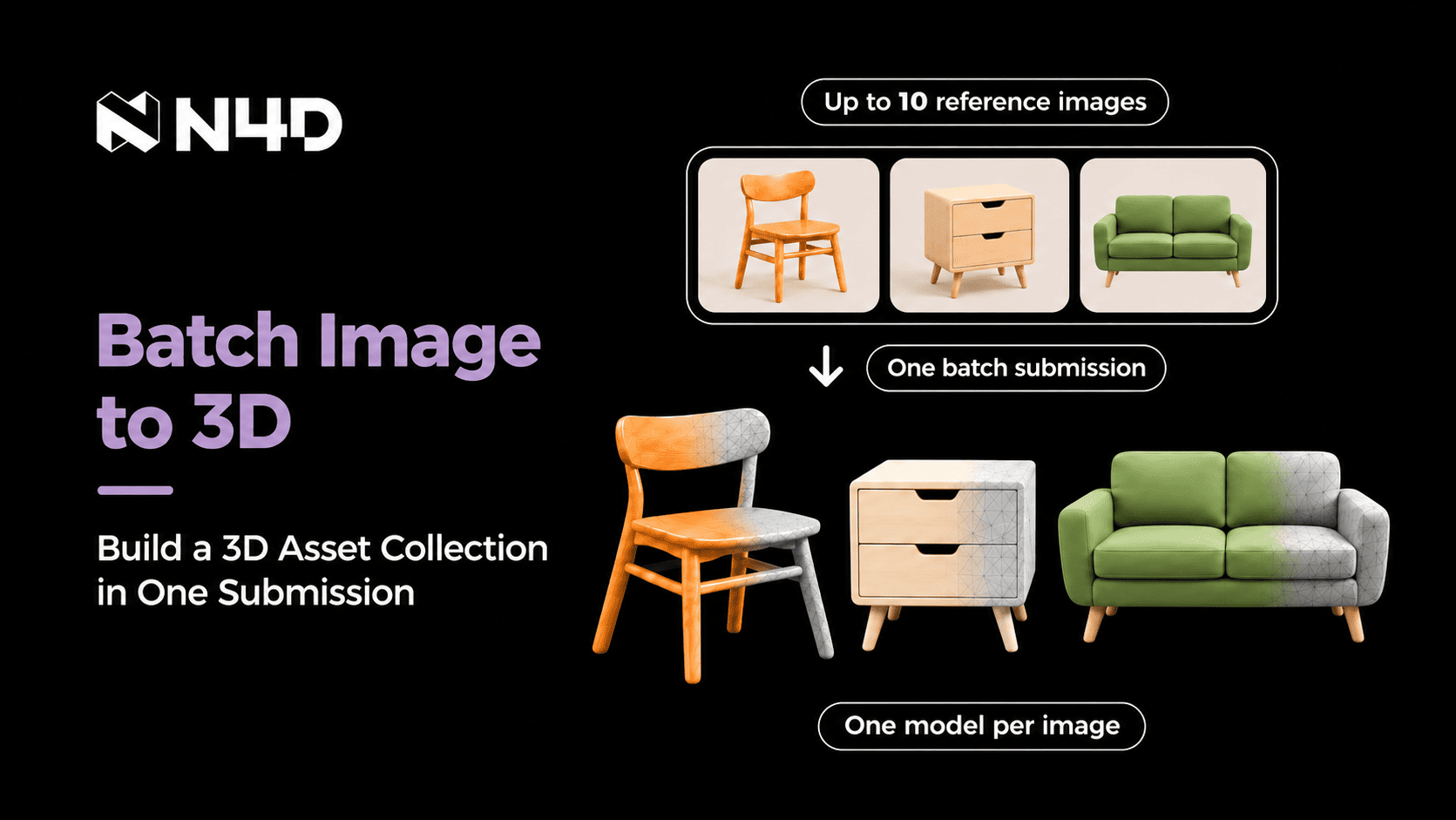
N4D Batch Image to 3D lets creators submit up to 10 reference images together and generate one separate 3D model for each image.
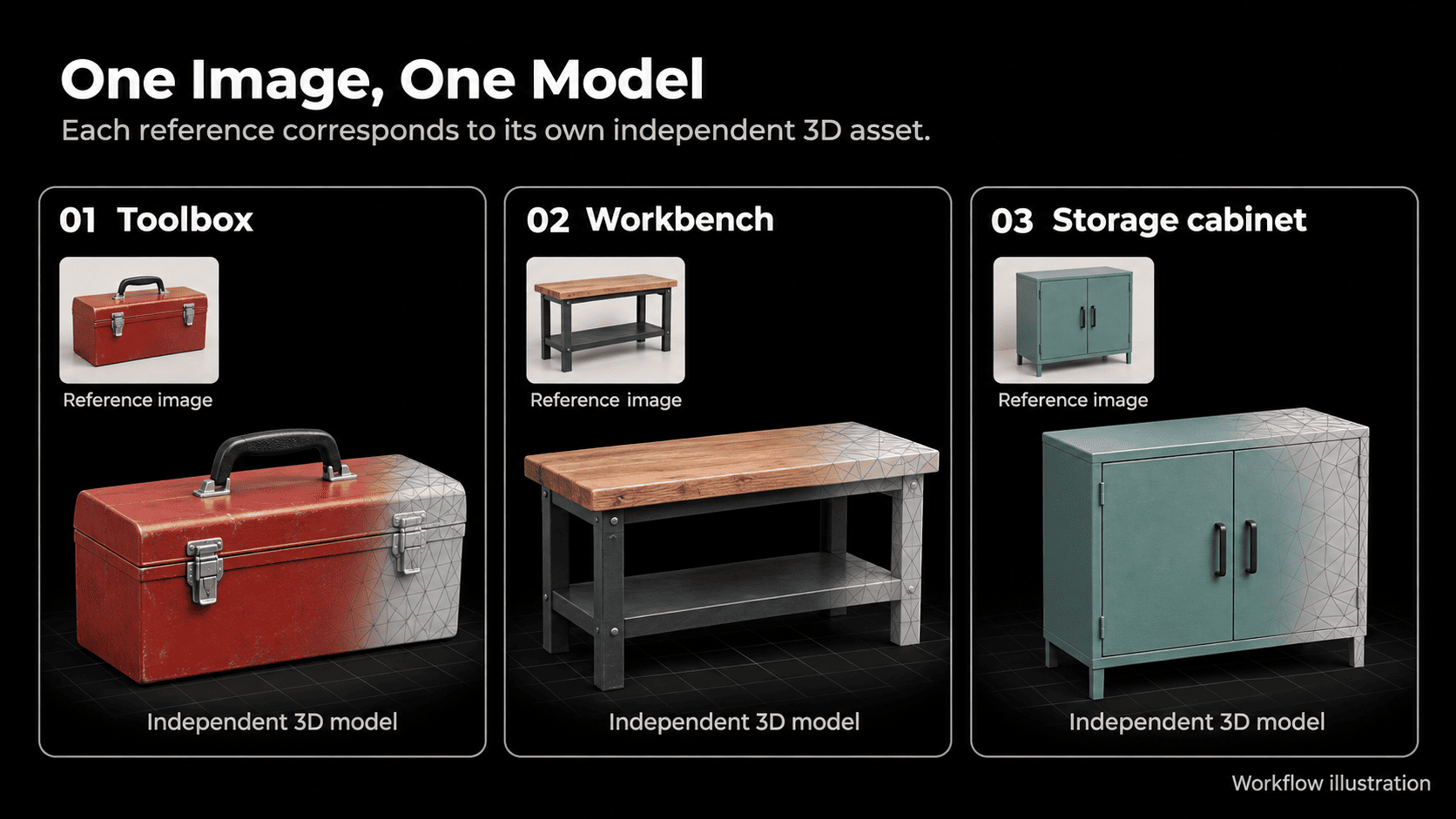
A workflow illustration pairs a toolbox, workbench and storage cabinet reference with a separate 3D model for each item.
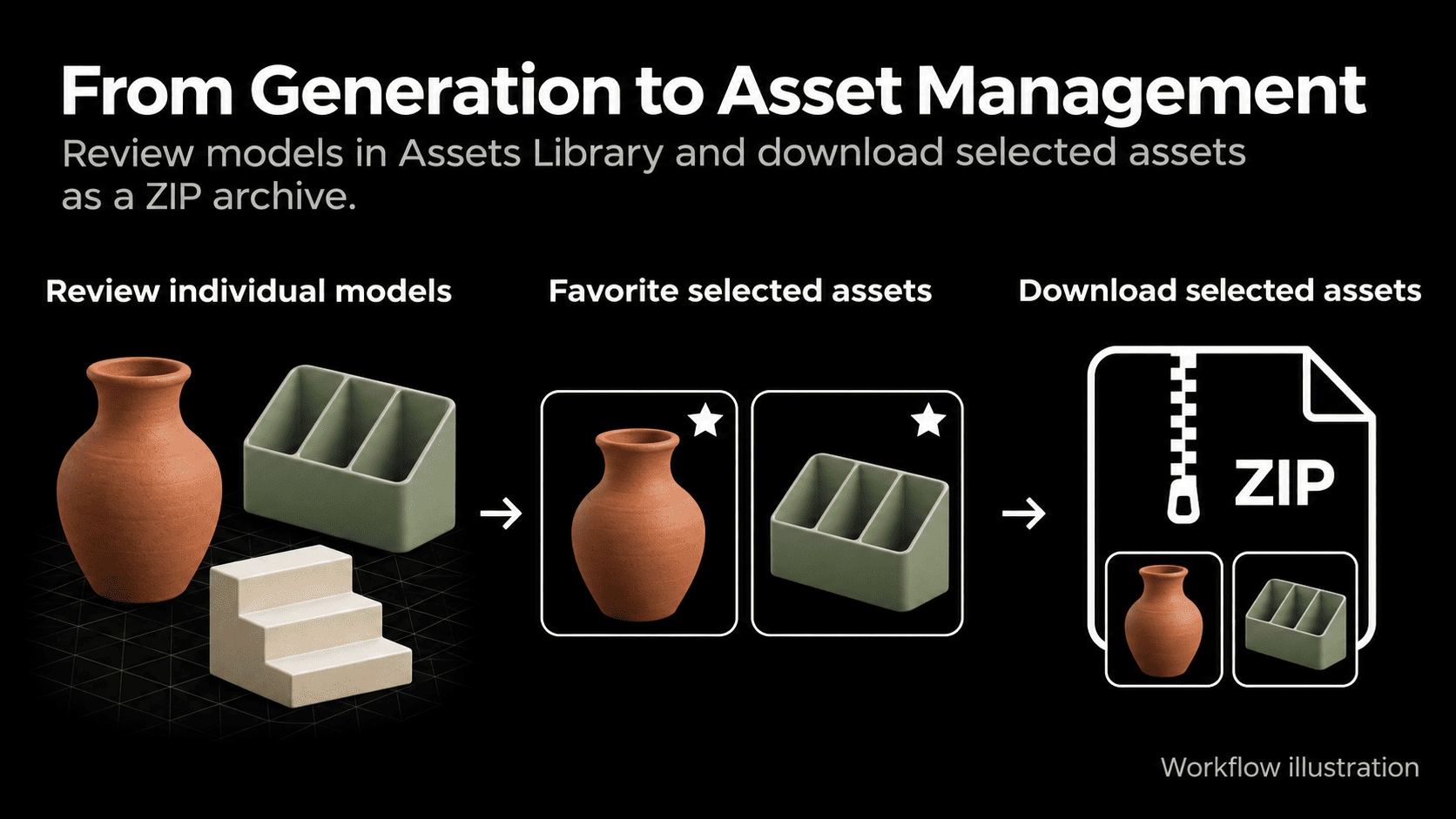
After batch generation, creators can review individual models, favorite selected assets and download chosen files together as a ZIP archive.
Turn up to 10 reference images into individual 3D models with fewer repeated upload and submission steps.
What Is Batch Image to 3D
Batch Image to 3D is N4D's batch generation option within Image to 3D. Users select their reference images and submit them together, following a simple rule: one image corresponds to one model. Each result is an independent asset. The batch does not combine multiple views of the same object into a single model, a task addressed by N4D's separate Multi-View to 3D workflow.
N4D's Image to 3D workflow accepts PNG, JPG, JPEG, and WEBP files up to 20 MB each. Model export options include OBJ, FBX, GLB, USDZ, STL, and BLEND, allowing creators to select a format for subsequent 3D work.
"3D projects often involve more than one asset, but creating those assets shouldn't require repeating the same setup steps for every reference. With Batch Image to 3D, we want creators to spend less time managing submissions and more time evaluating the models they create."
Feihu Zhang, CEO of N4D
Fewer Repeated Submission Steps
Creating several assets through individual submissions means repeating the upload and generation request for each reference. Batch Image to 3D consolidates those requests, so creators can prepare a group of references around a project task and submit the collection together.
For example, a designer planning a reading corner could submit references for a chair, a side table, and a lamp in one batch. The result is three separate models to assess for the scene. The practical benefit is fewer submission steps between selecting the references and reviewing the results.
For a step-by-step walkthrough, see N4D’s guide on how to convert multiple images to 3D models.
Batch 3D Asset Creation for Games and Product Design
For game development, Batch Image to 3D can turn a prop reference list into initial models for scene exploration. A team developing a workshop environment could submit concept images for a toolbox, a workbench, and a storage cabinet. Those models provide starting points for assessing how the objects fit the scene's composition and visual direction before deciding which assets need further work.
For product design and e-commerce visualization planning, the inputs could instead be images of different products, such as a vase, a desk organizer, and a display stand. Generating a separate model for each gives the creator objects to inspect when exploring a display arrangement or preparing a visual concept. The workflow supports early evaluation; creators still determine whether each result meets their project's requirements.
From Batch Generation to Asset Management
After batch generation, N4D's existing Assets Library helps creators organize the resulting collection. Users can browse and search their models, review individual results, and favorite assets they want to keep readily accessible. This connects the submission stage with the decisions that follow: which models to retain and which to develop further.
The library's existing Batch Actions also lets users select multiple assets, favorite them together, and download selected results as a ZIP archive. A creator can gather the models chosen for a project in one download, carrying the batch workflow through to asset collection rather than handling every file separately.
Batch Image to 3D is available now at https://www.neural4d.com/studio/image-to-3d?mode=batch_images. Open the workspace to upload reference images and start a batch.
About N4D
N4D develops AI tools for 3D asset creation, powered by its proprietary Direct3D algorithms. Its tools support generation from text and images, model refinement, asset organization, and export. N4D also offers image and video generation tools for creative projects.
Product Hunt: https://www.producthunt.com/products/neural4d
G2: https://www.g2.com/sellers/neural4d
Trustpilot: https://www.trustpilot.com/review/neural4d.com
Media Contact
Name: N4D
Email: support@neural4d.com
Website: https://www.neural4d.com
Neural4D
N4D
Visit us on social media:
LinkedIn
Instagram
Facebook
YouTube
TikTok
X
Other
Legal Disclaimer:
EIN Presswire provides this news content "as is" without warranty of any kind. We do not accept any responsibility or liability for the accuracy, content, images, videos, licenses, completeness, legality, or reliability of the information contained in this article. If you have any complaints or copyright issues related to this article, kindly contact the author above.
